
Quick Tip #7 – Getting to grips with jQuery’s Traversing methods
To be more precise, we're going to look at some of the functions used in the 'Finding' section of jQuery's Traversing methods. The best way to explain this, is of course, with an example. So lets start with the problem that led me to use Traversing, oh and thanks to @tweaked for prompting me to revisit this topic. Also for reference, I'm going to me using the parent and next functions.
The problem I had
On my blog page I have all my posts listed and for each post I have a 'link' section.

When you click the 'Related' or 'Share +' links it opens up a div below it (view a demo of what it's not meant to do).
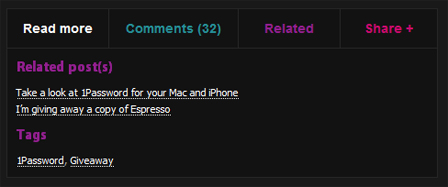
At first I had this jQuery code below, which opened up the closed section, but it did it to all the divs! Of course it did this because it was toggling every single div with the class of 'tags' on the page. What I wanted it to do was only open up the div/section that was next to the post and this is where Traversing comes in.
The jQuery
//when a link with related class is pressed
$("span.related").click(function () {

     // toggles the tags div
     $("div.tags").toggle();

});
The HTML
To solve the problem
Now I'm going to show you how we can Traverse the code rather than just selecting an element by it's class or ID. Here's a demo with the new Traversing jQuery.
Explanation: When span.related is clicked it selects itself using (this), then we use the parents function to select the parent ul, then we jump to the next div using the next function which happens to be our div.tags. This then toggles that div and only that div.
//when a link with related class is pressed
$("span.related").click(function () {

    //jumps up to the ul, skips to the next div
    $(this).parents('ul').next("div.tags").toggle();

});
You can see here that we're not selecting elements by their ID but just hitching a ride around the elements, clever 'ey?